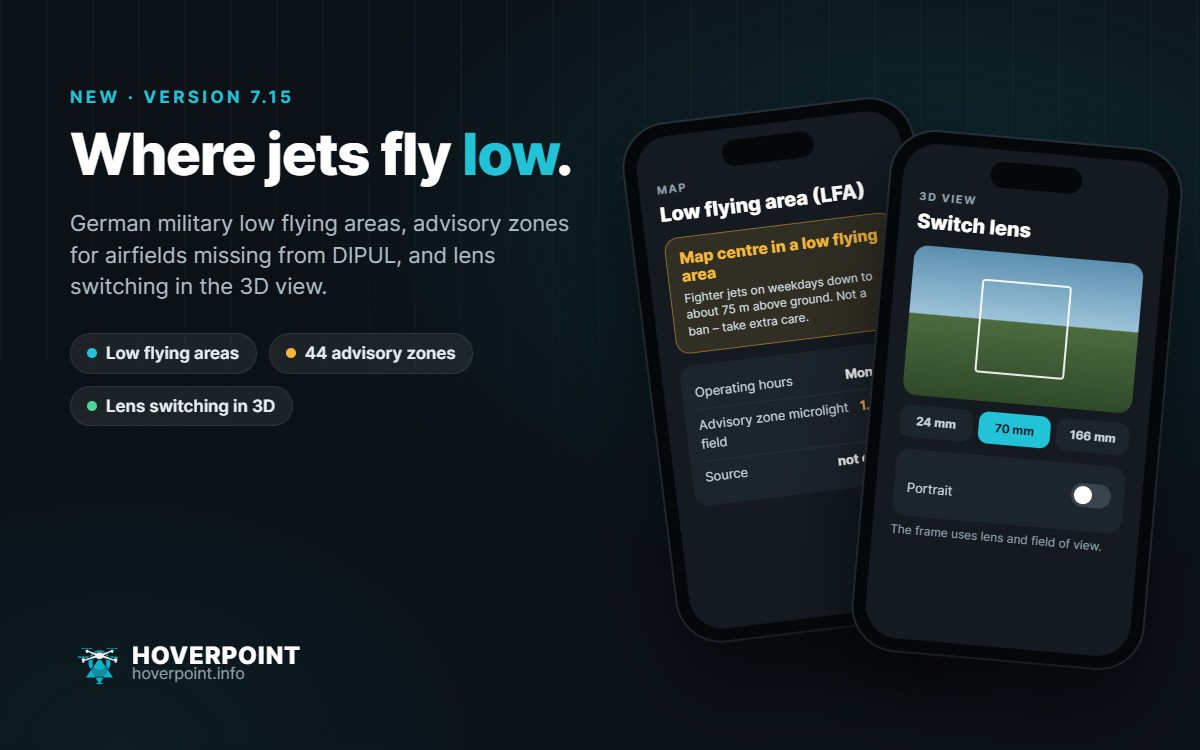
Version 7.15 brings three new features for flight planning to the app. Low flying areas and advisory zones are also available in the browser at web.hoverpoint.info.
Military low flying areas
You’ll find the new Low flying areas (LFA) layer under Map › Map view. If the map centre lies in a low flying area, a notice at the top of the map says so, including whether it is currently active. Fighter jets fly there on weekdays down to about 75 m above ground. It is not a ban for drones, but a reason for extra caution. For questions about low flying, the notice gives the free citizens’ hotline of the German military aviation authority.
Advisory zones for airfields missing from DIPUL
44 airfields and microlight fields exist according to OpenStreetMap but are missing from the official data. Hoverpoint now shows them in yellow with a 1.5 km buffer, clearly marked as “not official”. The zone check treats them like an airfield: fly only with the airfield’s consent. I have reported the missing airfields to DFS.
3D view: lens switching and portrait
With the new lens button you switch between your drone’s cameras in the 3D view just like in flight, e.g. wide, medium tele and tele. “Portrait” rotates the frame like drones with a rotating gimbal. To match, the resolution calculator in the camera assistant now works with lens, photo or video and the horizontal field of view, which also makes the camera footprint on the map more accurate.
Also new
- Spot suggestions as a list: choose categories, save all at once or share them as KML/GPX.
- Second phone or tablet: the app explains once how hangar, logbook, spots and documents come across, and restores an existing cloud backup with one tap.
- Shadows: no more white map on iPhone; the app calculates sun times itself, even offline.
- Mapping: image width and depth now follow your drone’s sensor (e.g. 4:3 or 3:2).
Version 7.15 is available for Android and iPhone.